


Pluginsv1.8.2
AutoClean
Clean abandoned drops on a schedule while protecting selected items, raid areas and active player activity.
$10.00Compatibility Oxide
Loading image…
1 / 4
AutoClean
- Views
- 5
- Recorded purchases
- 0
- Recorded downloads
- 0
About this product
Product bundles
Loading…
Scheduled cleanup for your Rust server
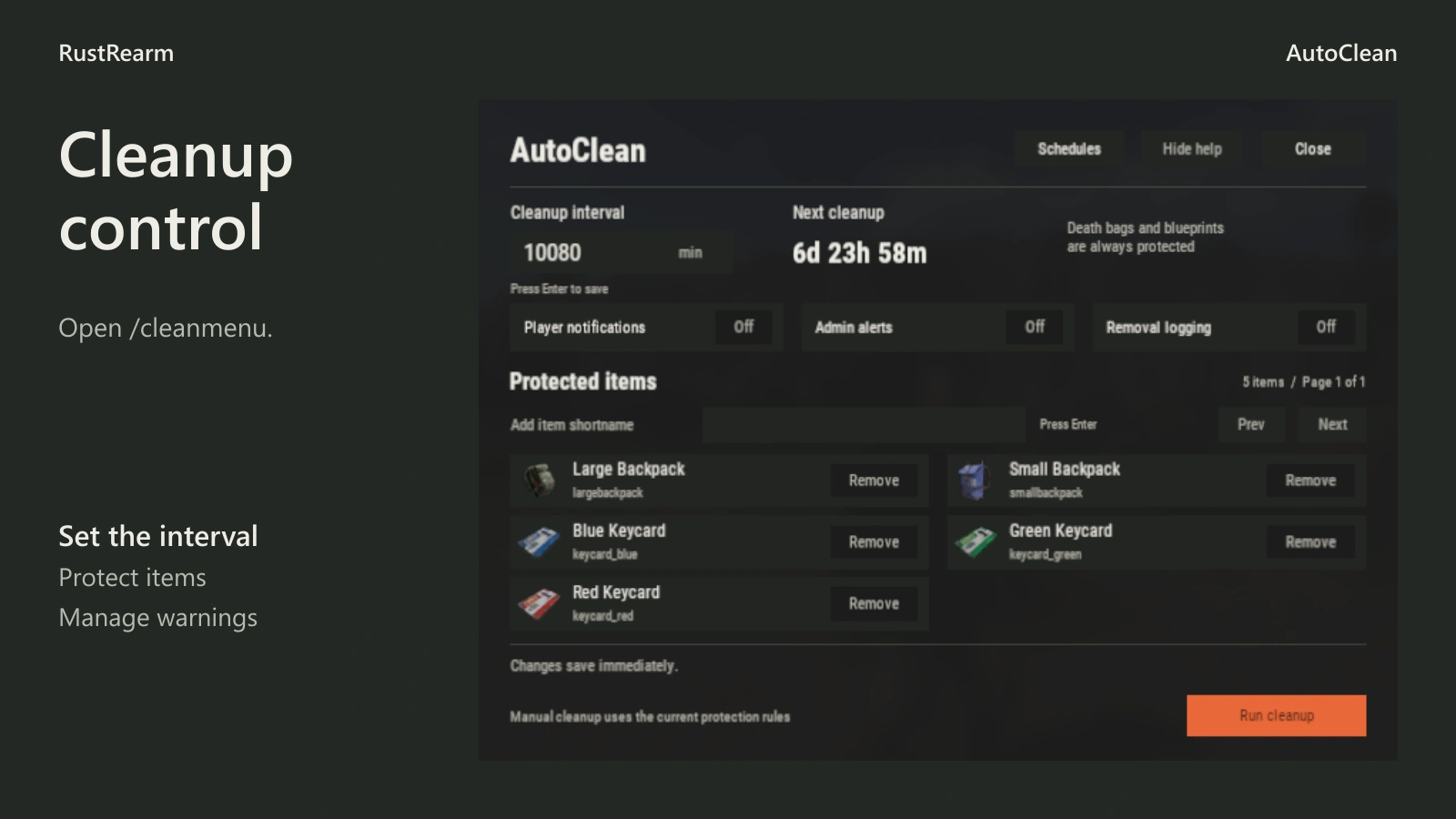
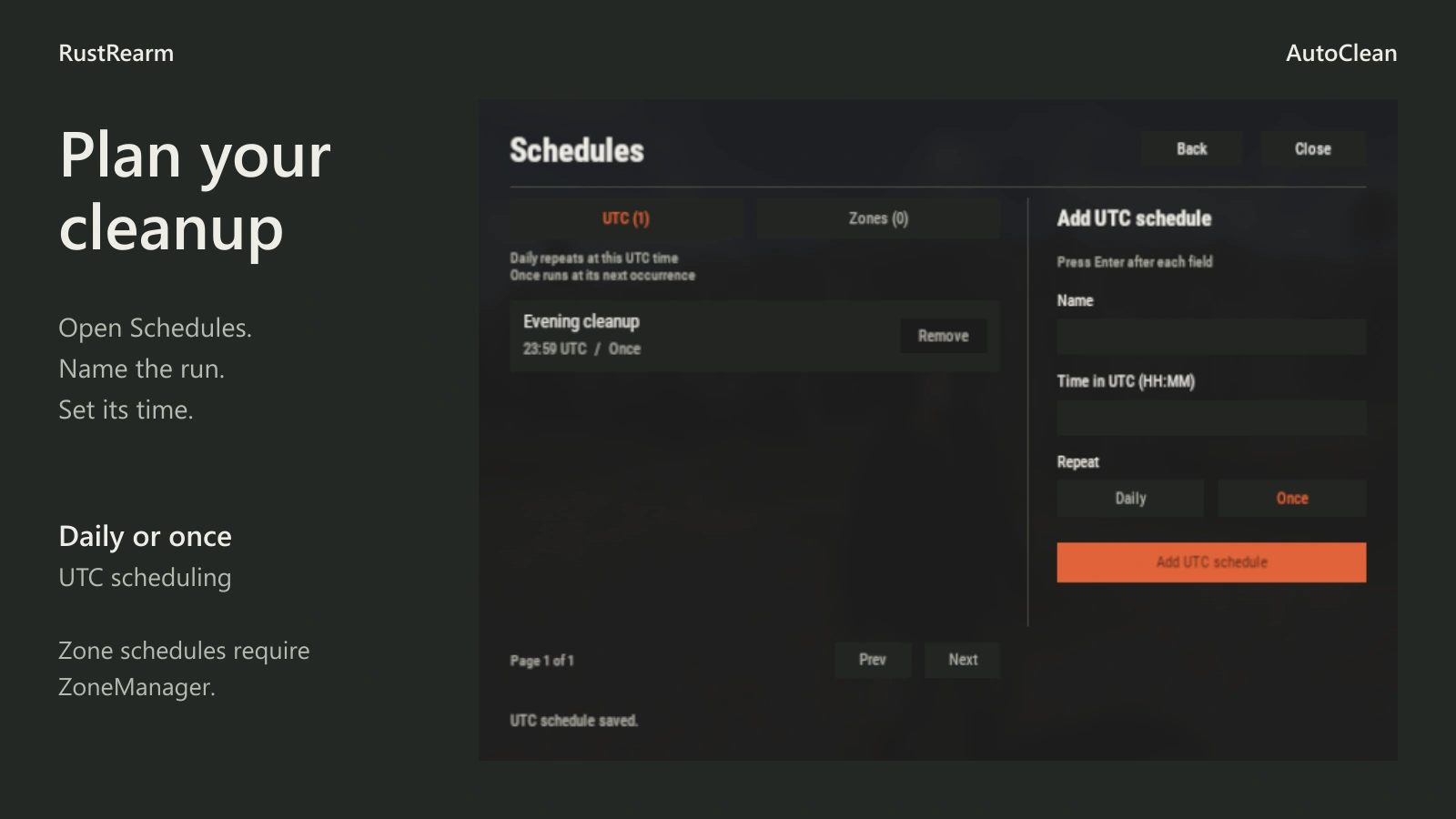
AutoClean removes eligible abandoned drops on a schedule you control. Use a regular server-wide interval, named UTC times or separate schedules for ZoneManager areas. Staff can adjust everyday settings through /cleanmenu, including the interval, protected items, notifications and logging.
The default cycle is 30 minutes. Players receive countdown reminders before interval-based cleanup, and the completion message reports confirmed removals. Manual cleanup is available to authorised staff.
Choose what stays
AutoClean targets dropped items, eligible dropped-item containers and abandoned parachutes. It does not sweep placed storage boxes or buildings. Player death bags, research blueprints, blueprint fragments, backpacks and all three keycards are excluded by default. Keep CleanItemShortNames empty to clean eligible items except exclusions, or populate it to remove only listed shortnames. Exclusions take precedence; a container stays when its contents include a protected item.
Zones, raids and warnings
ZoneManager enables protected areas and independent zone schedules. RaidableBases protection checks current event territory during global and zone cleanup. Both integrations are optional. If excluded zones are configured while ZoneManager is unavailable, ordinary global drops are retained. An invalid RaidableBases response also retains candidates and logs a diagnostic.
Player alerts identify tracked, eligible drops. Optional administrator alerts identify their online owners. Global countdown reminders are configured separately. Notifications are available in English, Russian, Ukrainian, Spanish, German and French.
Operation

UTC schedules repeat daily unless created with once. Zone intervals use seconds. Removing a schedule cancels its future timer. Zone IDs are case-sensitive. Cleanup uses an event-maintained candidate index and bounded batches; there is no per-frame world scan. Actual workload depends on the number of drops, interval and installed integrations.
Back up your configuration before upgrading. Test the item policy with representative drops before enabling it on a live server.
Specifications
- Additional compatibility
- Oxide/uMod. Optional integrations: ZoneManager and RaidableBases
- Installation
- Copy AutoClean.cs to oxide/plugins, grant staff permissions, configure via /cleanmenu
Compatibility
Compatibility is declared by the creator. Check your version’s requirements before installing.
Dependencies
No additional plugins specified.
License
The license is granted to one buyer for use of this resource on no more than 3 Rust servers under their control. Backups and modifications for the buyer’s own projects are permitted. The file or source code may not be shared with others, published, or resold. The scope of updates and support is stated on the product page.
Other resources