



Pluginsv1.7.54
Furnace
Set a separate smelting speed for every furnace and cooking appliance. Create permission-based VIP profiles and edit them in game.
$10.00Compatibility Oxide / Carbon

Loading image…
1 / 6
Furnace — smelting speeds
- Views
- 163
- Recorded purchases
- 0
- Recorded downloads
- 0
About this product
Product bundles
Loading…
Control every oven. Build VIP speed tiers. Tune them live.

Furnace gives you a separate speed multiplier for every supported appliance: electric, small and large furnaces, oil refineries, BBQs, campfires, the cooking workbench, and the mixing table. Set the base speed for each type, create donor profiles, and adjust rank values from the in-game panel—without editing the config for routine changes or reloading the plugin.
Electric furnaces start at 2x by default, so Furnace is useful from the moment it loads. Every other appliance starts at vanilla speed until you decide otherwise.

At a glance
- Per-appliance speed control with multipliers from 0.01x to 100x
- Named VIP/donor speed profiles backed by permissions
- Live admin editing from
/furnace; values save immediately - Read-only player view with the actual speed for every appliance
- Permission-gated Take All / Put All furnace controls
- Optional proportional fuel use and charcoal output
- Mixing-table acceleration and campfire-variant support
- Event-driven, cached operation with no per-frame work
Server owners selling VIP or donor ranks. Faster smelting is a visible perk players use throughout every wipe. Attach a speed profile to a group, then add higher tiers that give players a clear reason to upgrade.
Economy-focused servers. Every appliance is tuned independently. Slow the grind for a hardcore economy, or keep a high-rate server moving. Your campfires can remain vanilla while electric furnaces run at 5x.
Players who want clarity and convenience. The panel shows each player the speeds they are actually receiving, while optional Take All / Put All buttons reduce repetitive inventory transfers.
A speed value is a multiplier: 2 means twice as fast, 0.5 means half speed, and 1 is vanilla. Each appliance type has its own value.
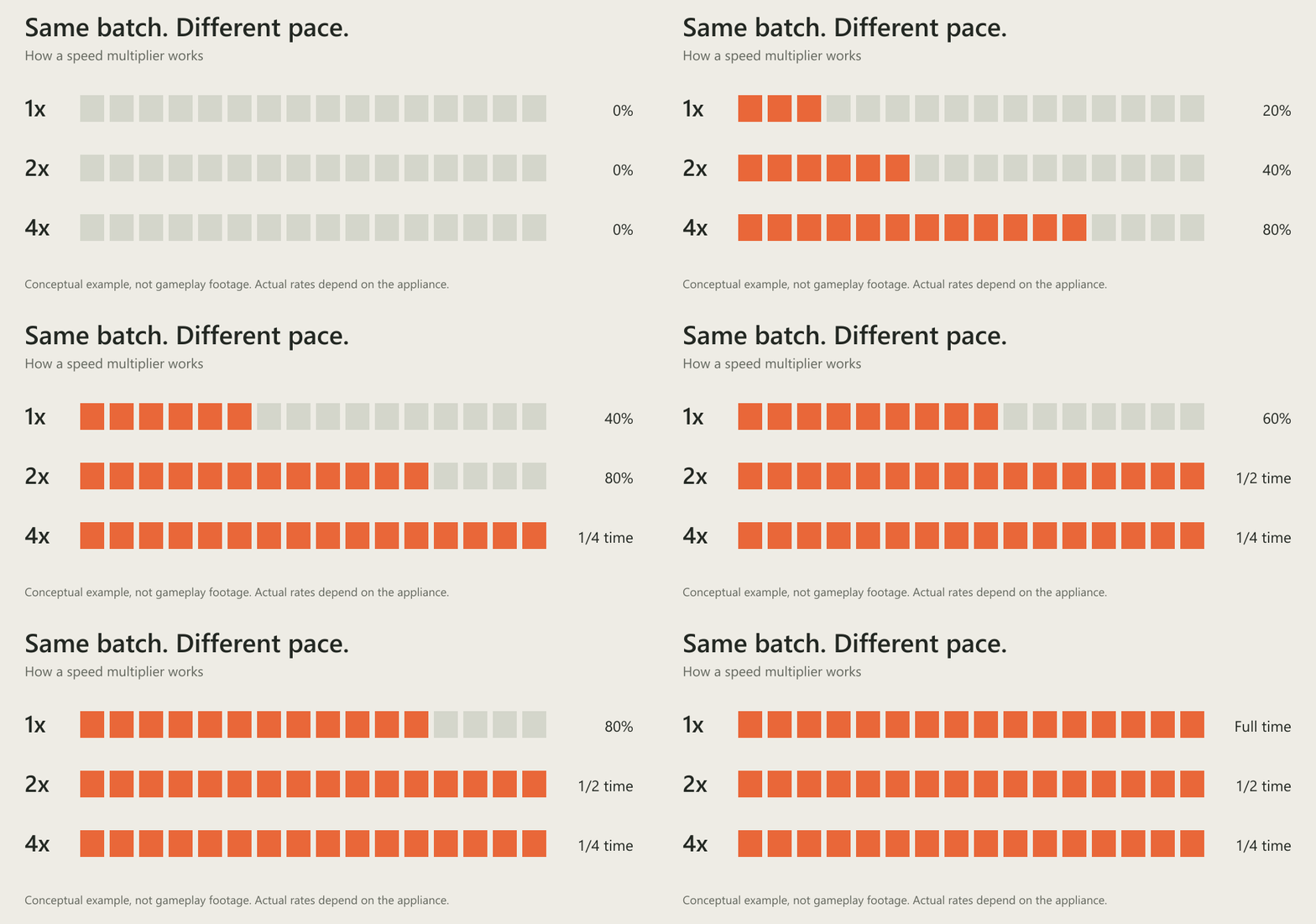
Rank profiles sit on top of the base configuration. Every rank is granted through furnace.speed.<rank>. When a player matches more than one rank, Furnace selects the highest multiplier for each appliance independently. Stacked VIP groups therefore enhance one another instead of a slower role cancelling a faster one.

Speed follows the player who currently has the oven open. While a player is looting an oven, their permissions determine its speed; otherwise Furnace uses the oven owner's rank.
Newly placed, looted, and toggled ovens are updated immediately. Lit ovens are also refreshed every five seconds so permission and ownership changes settle automatically.
- Independent appliance speeds — electric furnace, small furnace, large furnace, oil refinery, BBQ, campfire, cooking workbench, and mixing table.
- VIP/donor rank profiles — create named tiers and grant them with permissions; the highest matching value wins per appliance.
- Live in-game editing — admins can change every multiplier and move between rank profiles without leaving the panel.
- Player speed visibility — non-admins receive a read-only view of their effective values, with one item-icon row per appliance.
- Take All / Put All controls — optional furnace-loot buttons, protected by a dedicated permission.
- Optional fuel scaling — faster ovens can burn proportionally more fuel and produce matching extra charcoal from wood.
- Mixing-table acceleration — remaining and total mix time are divided by the active multiplier; 2x completes in half the time.
- Campfire variants — standard campfires, hobo barrels, and the Halloween cursed cauldron are treated as campfires.
- Low-overhead updates — prefab classification is cached, working lists are pooled, and no work runs every frame.
- Admin diagnostics —
furnace.debugexplains the complete speed decision for the oven being inspected.
In-game panel
Run /furnace to open the CUI panel.
Admins receive editable fields for every appliance. Change a value and it is written to the config immediately. The rank switcher at the top cycles through your profiles, so you can edit normal, switch to vip, then tune elite without reopening the panel.
Players receive a read-only view of the values they are getting right now. Each appliance has its own icon and row. An info control toggles the built-in help text.
The panel is intentionally permission-aware: viewing, administration, and the furnace inventory buttons are enforced separately.
One practical three-tier setup:
- Default: electric 2x; everything else vanilla.
- VIP (
furnace.speed.vip): electric 3x; small and large furnaces 2x. - Elite (
furnace.speed.elite): electric 5x; small and large furnaces 3x; refinery, BBQ, and campfire 2x.
Grant furnace.speed.vip to the VIP group and furnace.speed.elite to the top tier. A player in both groups receives Elite's faster values wherever they are higher.
Adding a new profile under Roles creates a matching furnace.speed.<rank> permission. Reload the plugin once after adding the profile so the new permission is registered and ready to grant.
{
  "MultiplierElectric": 2.0,
  "MultiplierSmall": 1.0,
  "MultiplierLarge": 1.0,
  "MultiplierRefinery": 1.0,
  "MultiplierBBQ": 1.0,
  "MultiplierCampfire": 1.0,
  "MultiplierMixingTable": 1.0,
  "MultiplierCookingWorkbench": 1.0,
  "ScaleFuelConsumptionWithSpeed": false,
  "Roles": {
    "normal": {
      "electric": 2.0,
      "small": 1.0,
      "large": 1.0,
      "refinery": 1.0,
      "bbq": 1.0,
      "campfire": 1.0,
      "mixingtable": 1.0,
      "cookingworkbench": 1.0
    },
    "slow": {
      "electric": 0.5,
      "small": 0.5,
      "large": 0.5,
      "refinery": 0.5,
      "bbq": 0.5,
      "campfire": 0.5,
      "mixingtable": 0.5,
      "cookingworkbench": 0.5
    }
  }
}
Existing configurations are preserved during upgrade. Missing fuel-scaling and default-role settings are added without wiping your values.
furnace.use            Open /furnace and view active speeds
furnace.admin          Edit multipliers, switch ranks, and run furnace.debug
furnace.buttons.use    See and use the Take All / Put All controls
furnace.speed.<rank>   Apply that rank's multipliers
Examples: furnace.speed.normal, furnace.speed.slow, furnace.speed.vip.
Every profile in Roles registers its own permission when the plugin loads. Add a profile, reload once, then grant the generated permission with your normal Oxide/Carbon permission workflow.
/furnace          Chat      Open the Furnace panel (requires furnace.use)
furnace.debug     Console   Explain the active speed of the oven in view
furnace.debug reports the detected appliance type, owner and active looter, base and rank multipliers, final applied smelt speed, and the permissions involved. It is the fastest way to answer “why is this furnace running at this speed?”
The panel's edit actions and Take All / Put All buttons use internal UI commands. They are implementation details and do not need to be called manually.
- Place
Furnace.csinoxide/plugins. - Let the plugin load and create its default configuration with
normalandslowprofiles. - Grant
furnace.useto players who should open the panel. - Grant
furnace.adminto trusted administrators only. - Grant
furnace.buttons.useto the groups that should receive Take All / Put All controls. - Open
/furnaceto tune each profile, or edit the config directly. - After adding a new custom profile under
Roles, reload Furnace once so its permission is registered.

Example grants:
oxide.grant group default furnace.use
oxide.grant user <steam-id> furnace.admin
oxide.grant group vip furnace.buttons.use
oxide.grant group vip furnace.speed.vip
- Multipliers must be greater than
0and no higher than100. Invalid values are rejected. - Electric furnaces already have a faster underlying smelt rate than other appliances. Tune each appliance independently instead of assuming the same multiplier produces the same item throughput everywhere.
- Speed affects lit ovens. An inactive oven's stored rate is operationally irrelevant until the oven is lit and Furnace applies the current value again.
- Fuel scaling applies only when
ScaleFuelConsumptionWithSpeedis enabled and the active multiplier is above1. If extra charcoal cannot fit, it drops at the oven.

- Put All attempts to fill the oven up to its slot capacity. Items the oven cannot accept remain in the player's inventory.
- Appliance detection uses prefab names. Fully custom oven prefabs that do not match the supported vanilla patterns remain at vanilla speed.
- Mixing-table speed is applied when a mix is toggled on. It is separate from the five-second lit-oven refresh.
Furnace targets both Oxide/uMod and Carbon.
The implementation is event-driven and bounded: prefab types are cached, temporary lists are pooled, and there is no per-frame loop. Ovens are recalculated on the events that matter—placement, looting, and toggling—plus a five-second refresh for lit ovens. This keeps the work predictable even on servers with many deployed appliances.
As with any Rust plugin, validate a new build on a staging server after game or framework updates before rolling it into production.

Found a bug, have a question, or want to suggest a feature? Post in the support thread with your framework, relevant error output, and the result of furnace.debug when applicable. That context makes issues much faster to reproduce and resolve.
Furnace is maintained around Rust's update cycle. If the plugin earns a place on your server, leaving a review helps other administrators decide whether it fits theirs.
Specifications
- Additional compatibility
- Oxide/uMod and Carbon targeted; current Rust server runtime should be validated by the buyer
- Installation
- Copy Furnace.cs to oxide/plugins, grant permissions, configure via /furnace
Compatibility
Compatibility is declared by the creator. Check your version’s requirements before installing.
Dependencies
No additional plugins specified.
License
The license is granted to one buyer for use of this resource on no more than 3 Rust servers under their control. Backups and modifications for the buyer’s own projects are permitted. The file or source code may not be shared with others, published, or resold. The scope of updates and support is stated on the product page.
Other resources